Office Hours
Office Hours define your default availability for the business. You can find this under Settings > Office Hours. By default, ZimSaas sets hours to 09:00–17:00, Monday–Friday.
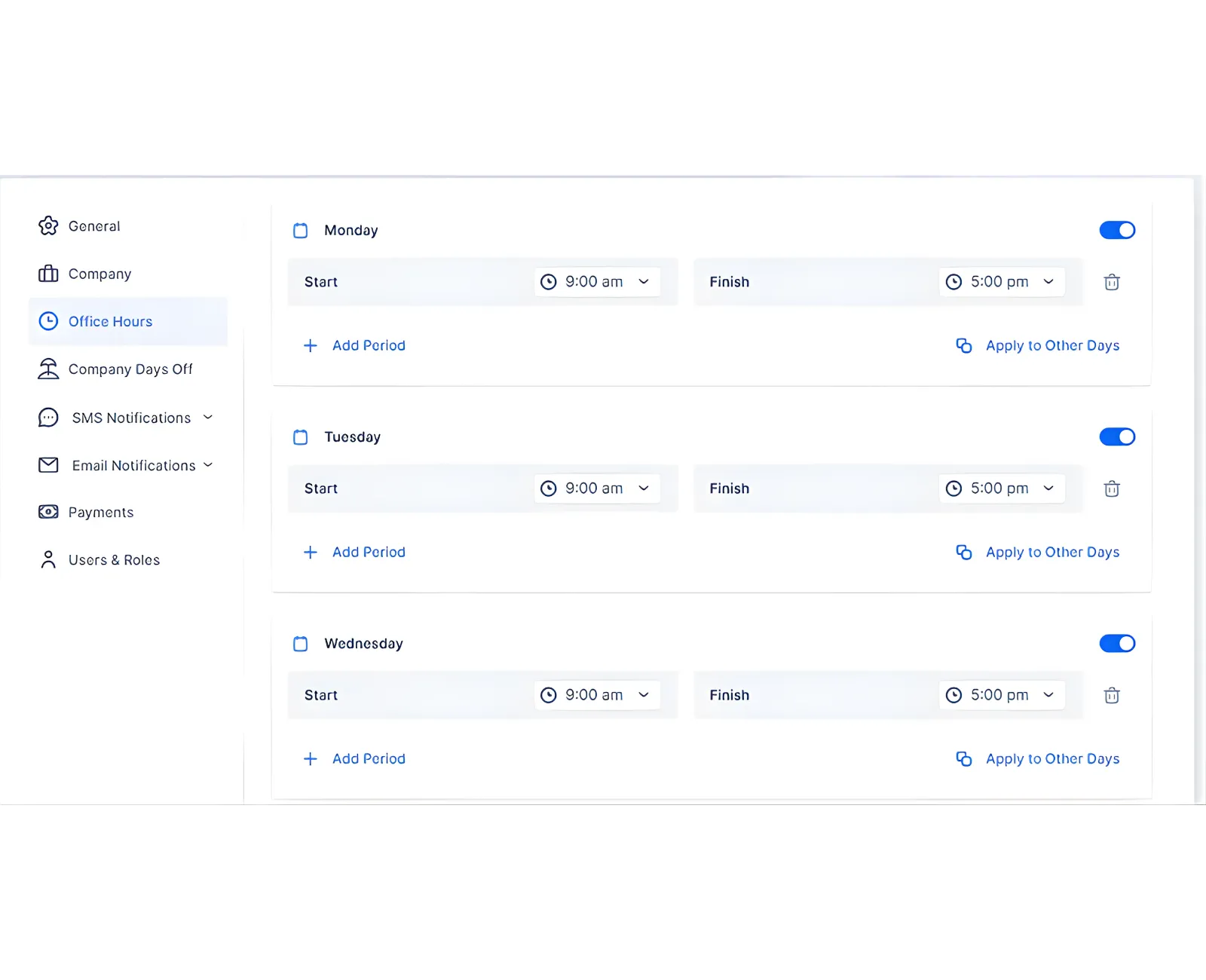
Set Your Standard Hours
You can:
- Split a day into multiple periods (to model breaks).
- Apply the same hours to all days.
- Customize hours for individual days.
- Remove specific days entirely.
Tip: Add daily periods in chronological order. The first period blocks earlier time slots.
Applying Changes to Employees
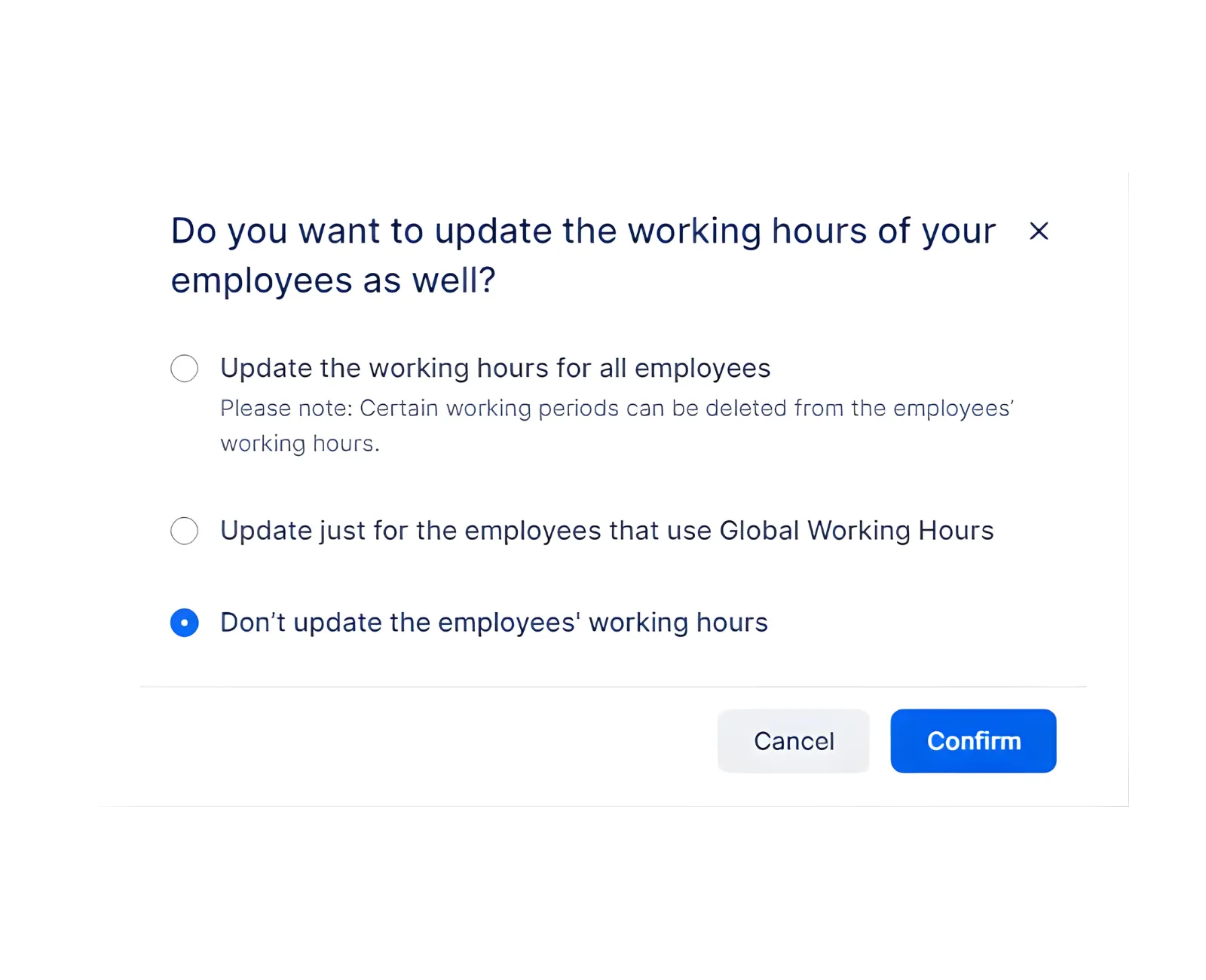
When you update Office Hours, ZimSaas can apply changes to employees in three ways:
- Update working hours for all employees (even those with custom hours).
- Update employees using global hours only (keeps custom schedules intact).
- Do not update employees (Office Hours change stays global only).
Related Topics
Need help?
Chat with our team on WhatsApp for setup guidance and troubleshooting.
Open WhatsApp supportLast updated on