Configuring Services
Services are the foundation of ZimSaas. They define what customers can book, how long it takes, and who delivers it.
Create Service Categories
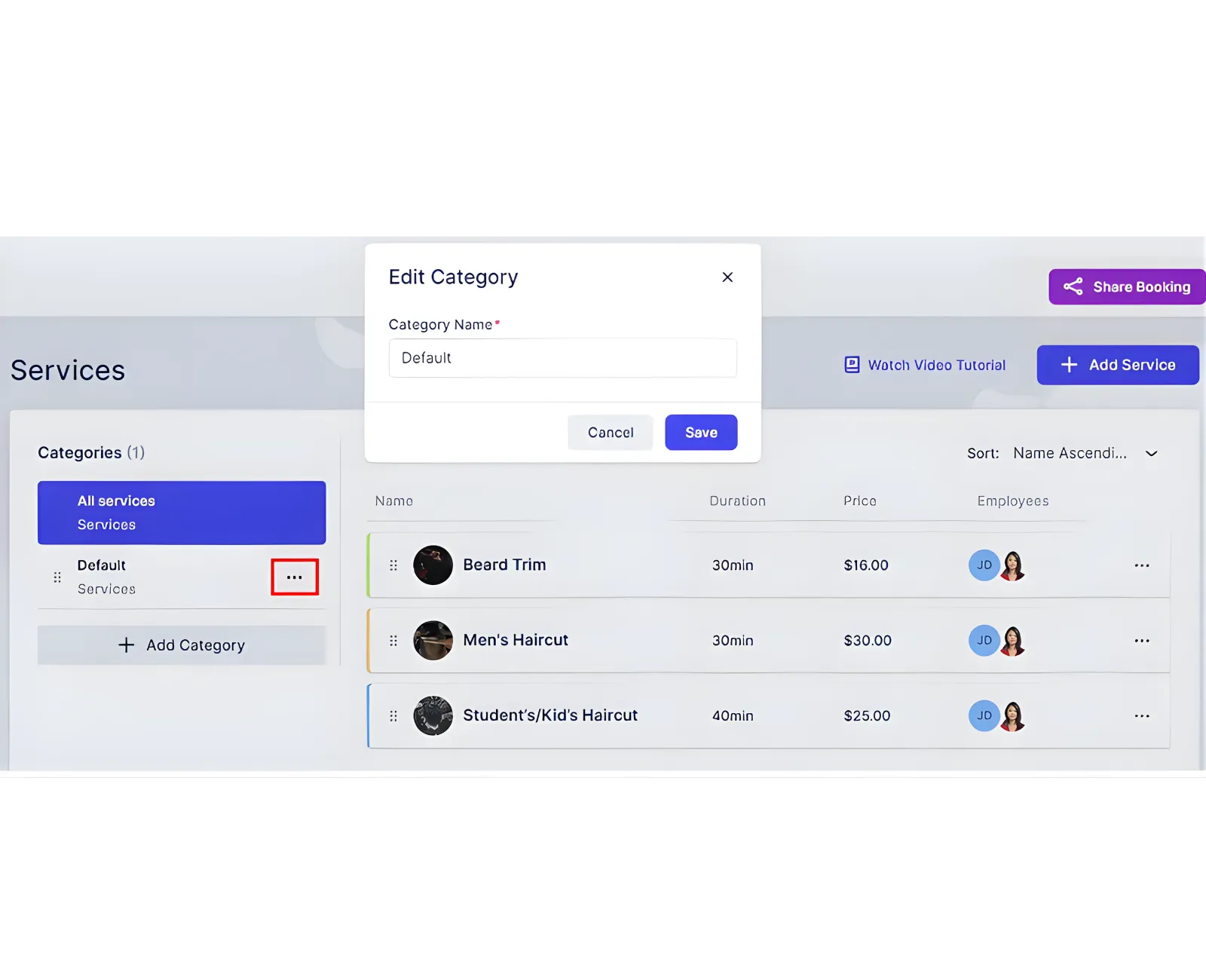
A Default category is created automatically and cannot be deleted, but you can rename it.
To add a category:
- Click + Add Category.
- Enter the category name.
- Save the category.
You can reorder categories using the drag handle. The order here controls how categories appear on your booking website.
The three‑dots menu on each category lets you:
- Edit the category name.
- Share the booking form with this category preselected.
- Delete the category (except Default).
Sharing options include Share Link, Embed Code, QR Code, Email, Social Media Post, and WordPress Plugin Download. You can narrow the share to specific services, employees, locations, date ranges, or time slots.
If all services inside a category are hidden, that category cannot be shared.
Create a Service
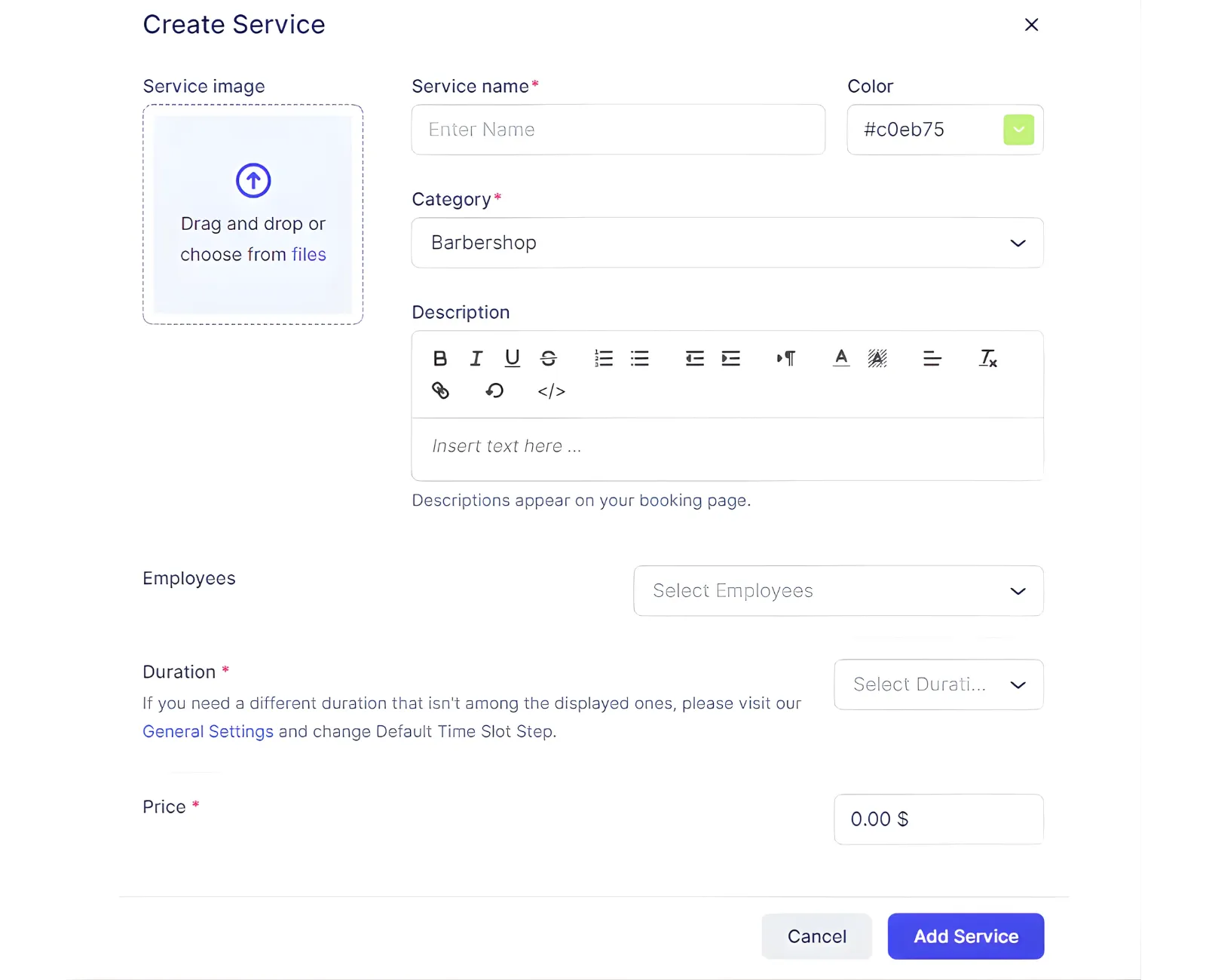
To add a service, click + Add Service. The modal includes:
- Service image
- Service name (required)
- Color (used when no photo is uploaded)
- Category (required; one category per service)
- Description
- Employees (must assign at least one for the service to be bookable)
- Duration (uses Default Time Slot Step from General Settings)
- Price (required; can be 0.00)
After saving, choose Go to Service to configure deeper settings.
Service Tabs
Appearance
Update the same visual fields used during creation: image, name, color, category, and description.
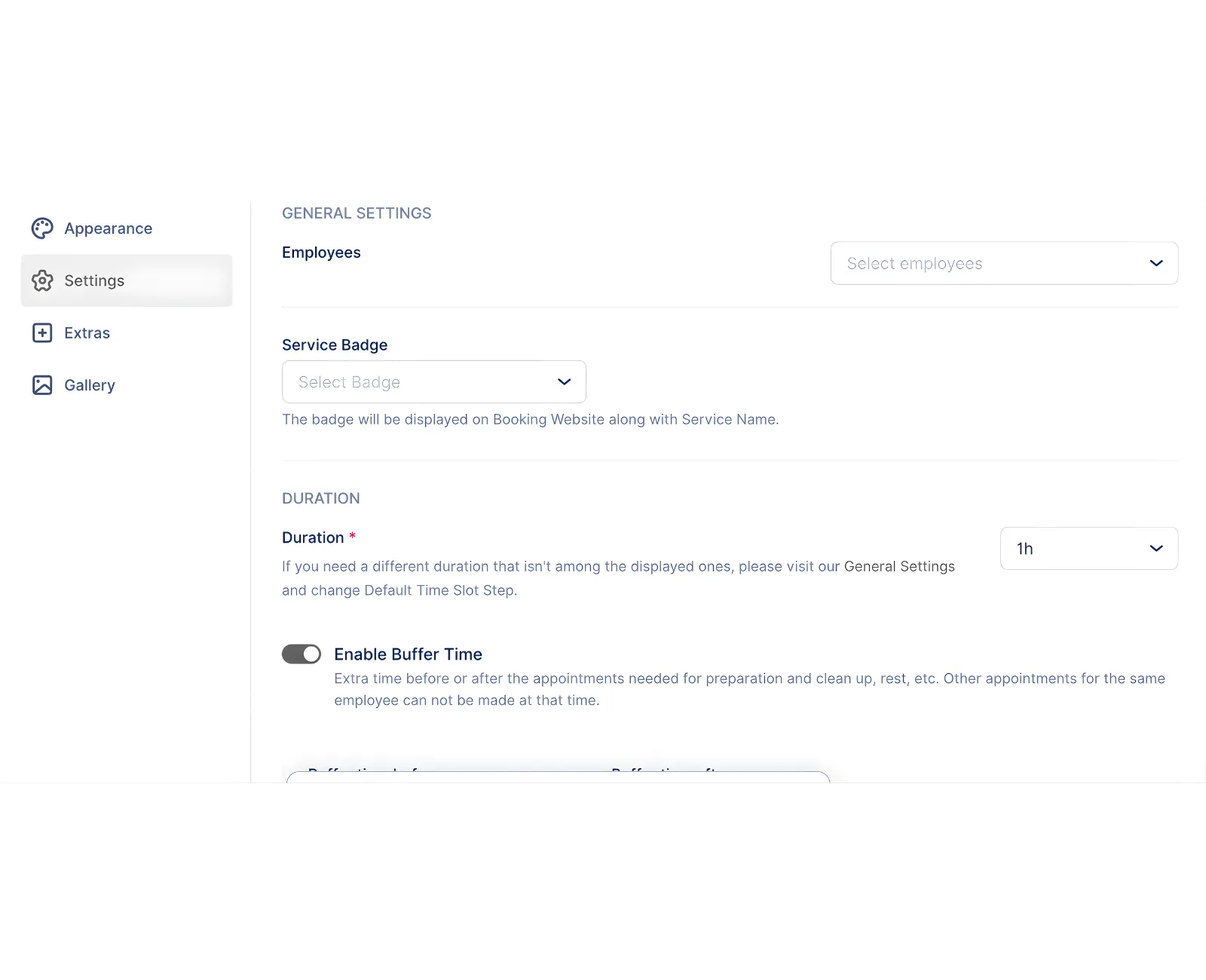
Settings
Key service behaviors live here:
- Employees assigned to the service.
- Service location: Online, On‑Site, or All Locations. Online services require a connected meeting integration (Zoom, Google Meet, Microsoft Teams).
- Service badge: Best Value, Most Popular, Premium, or custom.
- Duration and price updates.
- Buffer time before/after appointments (not visible to customers).
- Tax selection (if taxes are configured).
- Payment method: Online only, On‑Site only, or All.
- Deposit payments (requires at least one online payment method).
- Private service (hidden from booking website; still bookable via admin and share links).
- Recurring appointments with frequency, limits, payment handling, and behavior for unavailable dates.
- Redirect URL after a successful booking (overrides global booking website settings).
- Group booking with min/max capacity and price per person rules.
- Appointment settings overrides for booking lead time and booking window.
Related Topics
Need help?
Chat with our team on WhatsApp for setup guidance and troubleshooting.
Open WhatsApp support